
Checked, not guessed
Every expectation you set is verified against what's really on screen — the ones that fail are the bugs it files.
assert · balance updates after transfer
Automated app testing · Android, iOS coming soon
SmartMonkey drives your app on a real device and taps through the flows you hand it — one test, a suite, or the full regression — then reports what crashes, hangs, or quietly breaks, on every build, before your users ever hit it.
$15 free credit · add a card, no charge
of every flow you hand it — driven end to end, never a spot-check.
No brittle scripts to babysit. SmartMonkey reads each screen the way a person does, so a moved button doesn't break the test — and when something crashes, hangs, or dead-ends, it comes back with the exact steps that got there.
What a run catches
Scroll through what SmartMonkey hits as it taps through a single screen — the button that does nothing, the input it won't accept, the spinner that never stops.
A tap that force-closes the app or locks the screen — caught with the exact steps that got there, ready to file.
A control that looks live but doesn't respond — SmartMonkey taps it and checks the app actually reacted.
Empty fields, junk input, the wrong keyboard — the values users actually type, not just the happy path.
A flow that strands the user, loses the back button, or lands on a blank screen with no way out.
Spinners that never resolve and screens that never load — flagged when the app stalls past a real user's patience.
Fire it on each build and see what worked last release and quietly broke in this one — before it ships.
The report
Every bug names the flow, the steps to reproduce and the frame it happened on — a report a developer can pick up without asking you a single question. Here's what a run hands back.
Every expectation you set is verified against what's really on screen — the ones that fail are the bugs it files.
Bugs land grouped by the flow they broke in, ranked by severity, ready to triage.
SmartMonkey drives the flow tap by tap and records the exact path — so every bug comes with steps that reproduce it.
Fire a single flow, a named suite, or the whole regression — the same agent, the same report, any scope.
SmartMonkey captures the exact screen where a flow broke and marks up the control that failed — so your team sees what happened, and nobody argues about whether it's real. Every frame lands in the report, next to the bug and its steps.
Any app, any category
Point SmartMonkey at whatever you ship — it reads the screen it's on, taps through the flow, and brings back the bug with the frame. The same run, whatever the app.
Where it runs
Real devices by default — your phone or one of ours. And if you already run emulators, SmartMonkey drives those too.
 Bring your own
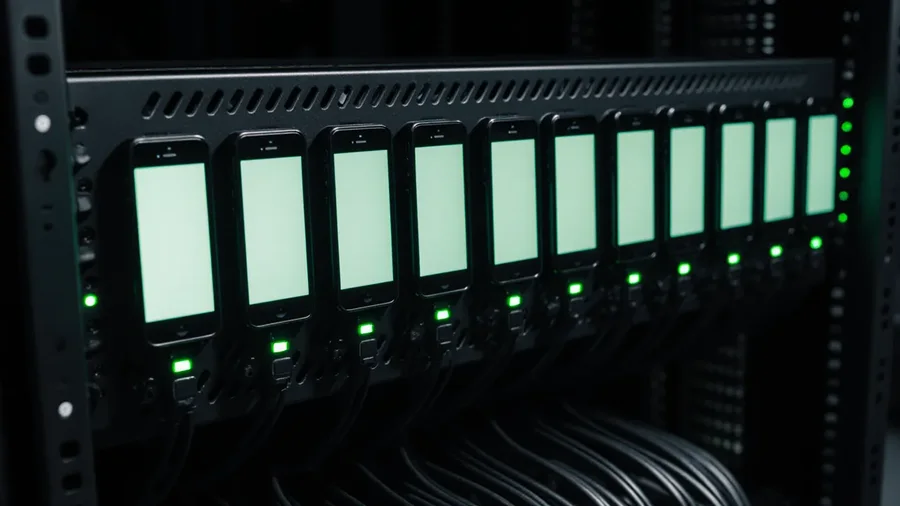 Cloud device
 Your infrastructure
No SDK, ever — and no brittle scripts. SmartMonkey drives your shipping build from the outside and reads each screen the way a person does, so there's nothing to integrate and a moved button doesn't break the test. Apps that block screen capture (many banking apps) can still be driven — but the screenshot evidence needs a build with capture enabled (a debug or pre-prod build), and getting past a login wall needs test credentials.
Just say it
No dashboard to learn and no config to wire — the assistant sets the whole thing up for you. Ask in a sentence: spin up a suite for a specific build, pick the device, run it, schedule the reruns and read the results back. You drive the entire setup by talking to it, and never leave the conversation.
What it hunts for on every run
Pricing
Every plan returns part of its monthly fee as credits, and each run spends them at $2 an hour of active testing. Bring your own phone, proxy and AI key to keep your builds in your own hands — and your credits go furthest.
Every app you build, tested before release.
$200 back in credits every month
Start testingTen runs at once for a whole QA team.
$300 back in credits every month
Start testingRuns cost $2 / hr of active testing, paid from credits · our cloud phones add $0.49 / hr · plan credits renew monthly, credits you buy never expire · unlimited team members · cancel anytime
Your month starts the day you join and renews on that day each month. Upgrades are prorated for the rest of your month, and if you cancel you keep your plan until your renewal date. Every plan includes the device audit log.
| Free$0 | Startup$99 / mo | Studio$499 / mo | QA Team$999 / mo | EnterpriseLet's talk | |
|---|---|---|---|---|---|
| Monthly price | $0 | $99 | $499 | $999 | Custom |
| Credits back | $15 once | $50 / mo | $200 / mo | $300 / mo | Custom |
| Apps to test | 1 | 3 | Unlimited | Unlimited | Unlimited |
| Parallel workers | 1 | 2 | 5 | 10 | Custom |
| Run rate | $2 / hr | $2 / hr | $2 / hr | $2 / hr | Custom |
| Team members | Unlimited | Unlimited | Unlimited | Unlimited | Unlimited |
| Your own phone & AI key | ✓ | ✓ | ✓ | ✓ | ✓ |
| Our cloud phones — +$0.49 / hr | — | ✓ | ✓ | ✓ | ✓ |
| Our proxy & AI key — from credits | — | ✓ | ✓ | ✓ | ✓ |
| Scheduled runs | — | ✓ | ✓ | ✓ | ✓ |
| Run one · suite · full | ✓ | ✓ | ✓ | ✓ | ✓ |
| Steps-to-reproduce reports | ✓ | ✓ | ✓ | ✓ | ✓ |
| Screenshot evidence | ✓ | ✓ | ✓ | ✓ | ✓ |
| Run-over-run history | ✓ | ✓ | ✓ | ✓ | ✓ |
| Device audit log | ✓ | ✓ | ✓ | ✓ | ✓ |
| Support | Priority | Priority | Dedicated |
Scroll the table to compare →
Point SmartMonkey at a flow and let it tap through — then read what broke and fix it before your users ever see it.